.jpg "JavaScript Object Notation")
In today’s world of web development and data-driven applications, JavaScript Object Notation (JSON) has emerged as one of the most widely used formats for storing, transmitting, and exchanging data. From powering APIs to simplifying data storage, JSON has become a cornerstone of modern software development. Understanding JSON, its structure, syntax, and practical applications is essential for developers, data engineers, and IT professionals alike.
This comprehensive guide explores JSON in detail, covering its definition, syntax rules, advantages, practical examples, and its role in real-world scenarios. By the end of this guide, you’ll have a complete understanding of JSON and why it’s crucial in today’s digital ecosystem.
What is JavaScript Object Notation (JSON)?
JavaScript Object Notation, commonly abbreviated as JSON, is a lightweight data-interchange format that is easy for humans to read and write, and simple for machines to parse and generate. JSON is based on the JavaScript object syntax, but it is language-independent, meaning it can be used across different programming languages like Python, Java, PHP, C#, and Ruby.
JSON’s primary purpose is to represent structured data in a textual format. Unlike traditional data formats such as XML, JSON is more compact, easier to understand, and faster to parse, making it ideal for transmitting data over networks, especially in web applications.
Key characteristics of JSON include:
- Human-readable: Its syntax is simple and clear.
- Lightweight: Minimal overhead makes it efficient for data transmission.
- Language-independent: Can be used with virtually any programming language.
- Structured: Supports complex data types like objects, arrays, strings, numbers, booleans, and null values.
JSON is widely used in APIs, configuration files, and data storage, making it a critical skill for developers in both front-end and back-end development.
The History of JSON
JSON was popularized by Douglas Crockford in the early 2000s. While JavaScript objects were already being used to represent data, Crockford formalized a standard textual representation of objects that could be transmitted over the internet.
The goal was to create a simpler alternative to XML, which was widely used at the time but considered verbose and complex. JSON gained popularity because of its simplicity, speed, and compatibility with web technologies. Today, JSON is recognized as a standard for data interchange, officially described in RFC 8259 and ECMA-404.
JSON Structure
JSON (JavaScript Object Notation) organizes and represents data in a structured and human-readable way. Its design is based on two fundamental elements: objects and arrays, which can be combined and nested to model complex data structures. By understanding how JSON structures data, developers can efficiently store, transmit, and manipulate information across applications, systems, and programming languages. Let’s explore these elements in detail.
1. JSON Objects
A JSON object is one of the core building blocks of JSON. It is a collection of key-value pairs, enclosed within curly braces {}. Each key acts as a unique identifier (or property name), while the value represents the data associated with that key. The values can be strings, numbers, booleans, arrays, other objects, or null.
Syntax of JSON Objects
- Keys must always be strings enclosed in double quotes ("key").
- Values must be valid JSON data types.
- Key-value pairs are separated by commas.
- Objects can be nested, allowing for hierarchical representation of data.
Example of a JSON Object
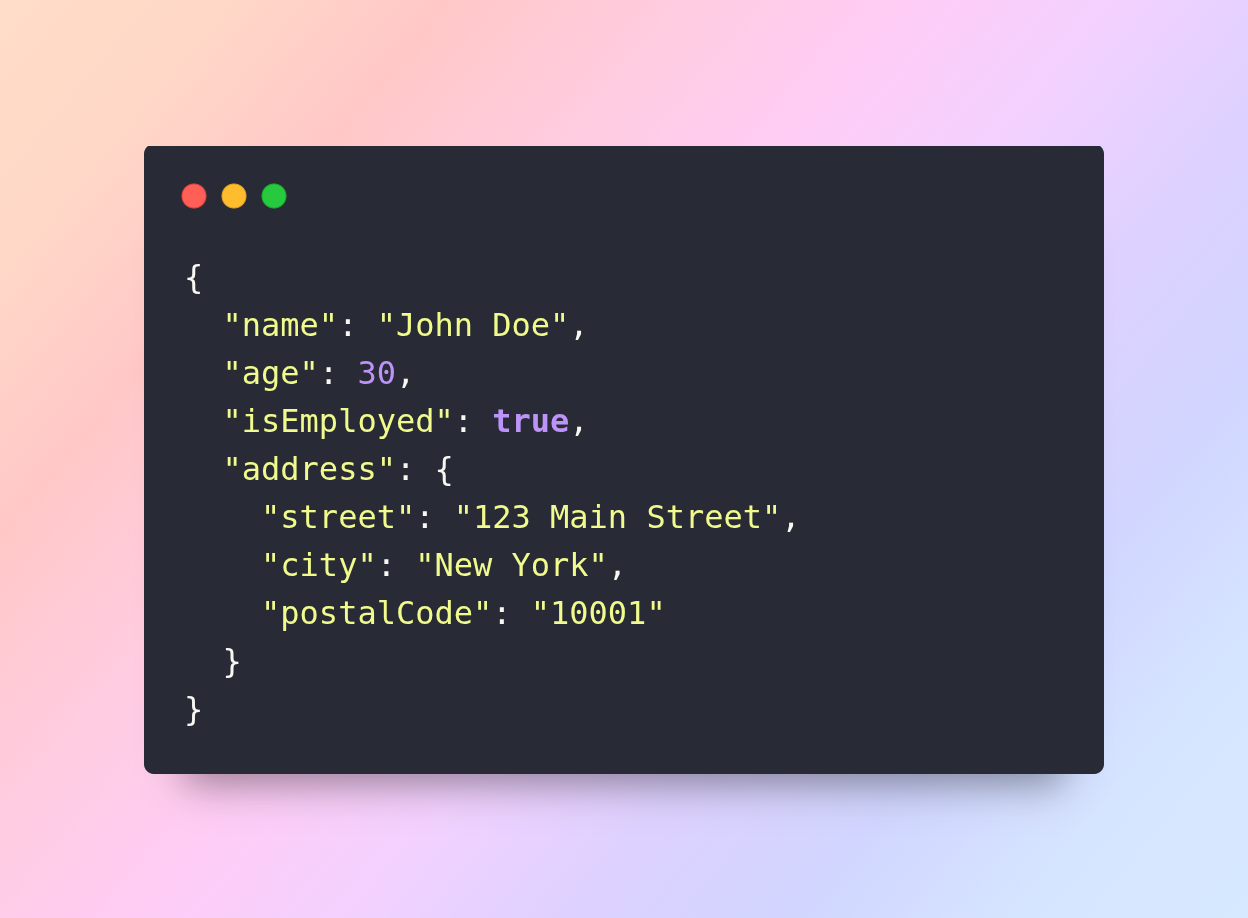
In this example:
- "name" is a key with a string value "John Doe".
- "age" is a key with a numeric value 30.
- "isEmployed" is a key with a boolean value true.
- "address" is a nested object, demonstrating how objects can contain other objects for representing hierarchical data.
JSON objects allow developers to group related data logically, making it easier to access, manipulate, and transmit structured information. For example, in an employee management system, each employee’s personal information, contact details, and job status can be stored in a single JSON object.
2. JSON Arrays
JSON arrays are another fundamental element and represent ordered lists of values, enclosed in square brackets []. Arrays can contain any valid JSON data type, including strings, numbers, booleans, objects, arrays, or null. Arrays are especially useful for storing collections of related data.
Syntax of JSON Arrays
- Values are separated by commas.
- Arrays can contain heterogeneous values (different types), though homogeneous arrays are more common for consistency.
- Arrays can be nested, allowing multi-dimensional lists or complex data structures.
Example of a JSON Array
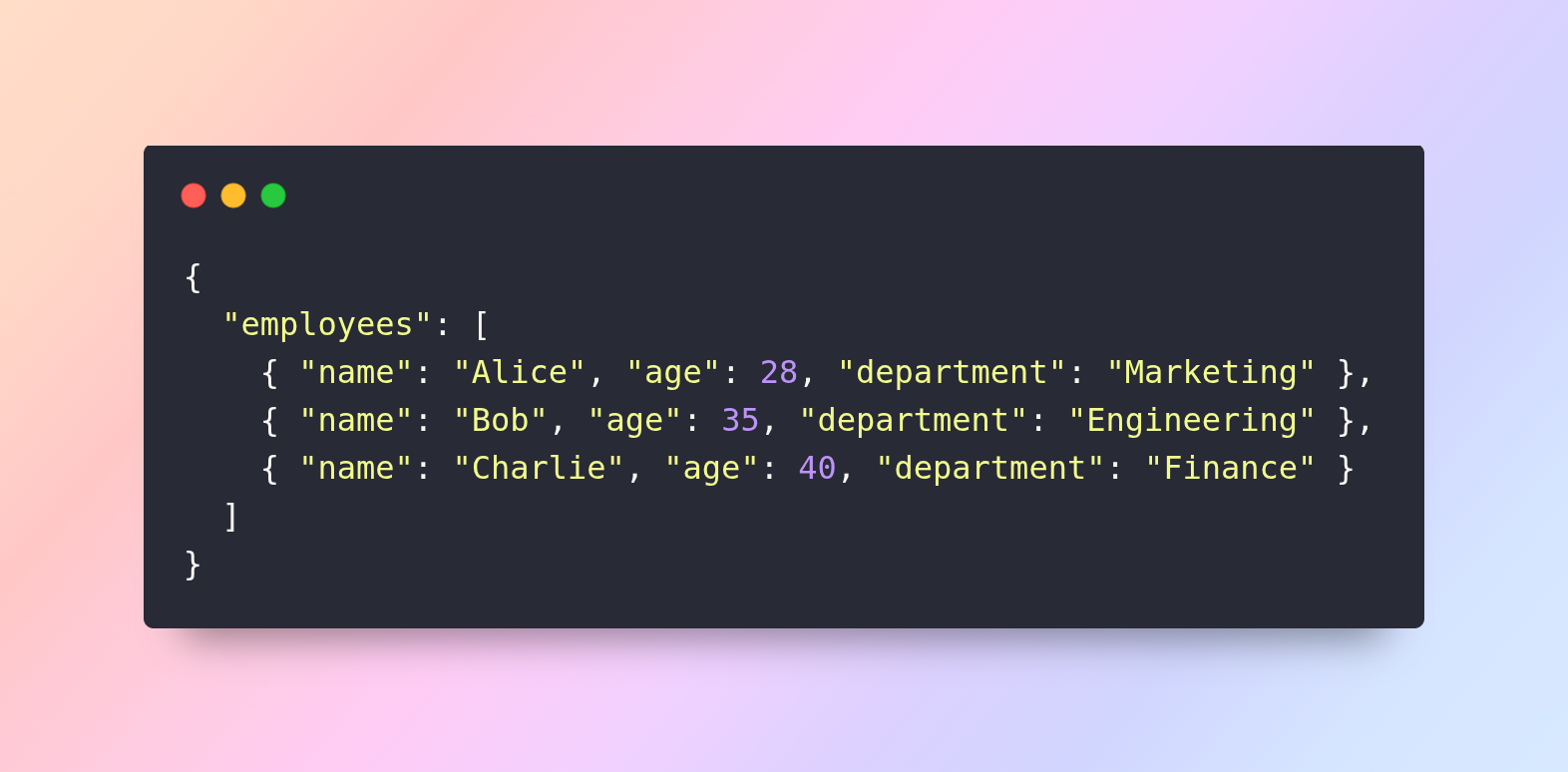
In this example:
- "employees" is a key containing an array of objects.
- Each object in the array represents an individual employee with their name, age, and department.
Arrays are ideal for representing lists, sequences, or collections, such as product catalogs, student records, or event logs. They allow easy iteration in programming languages and can be combined with objects to model highly structured data.
Nested Arrays Example
JSON also supports arrays within arrays:
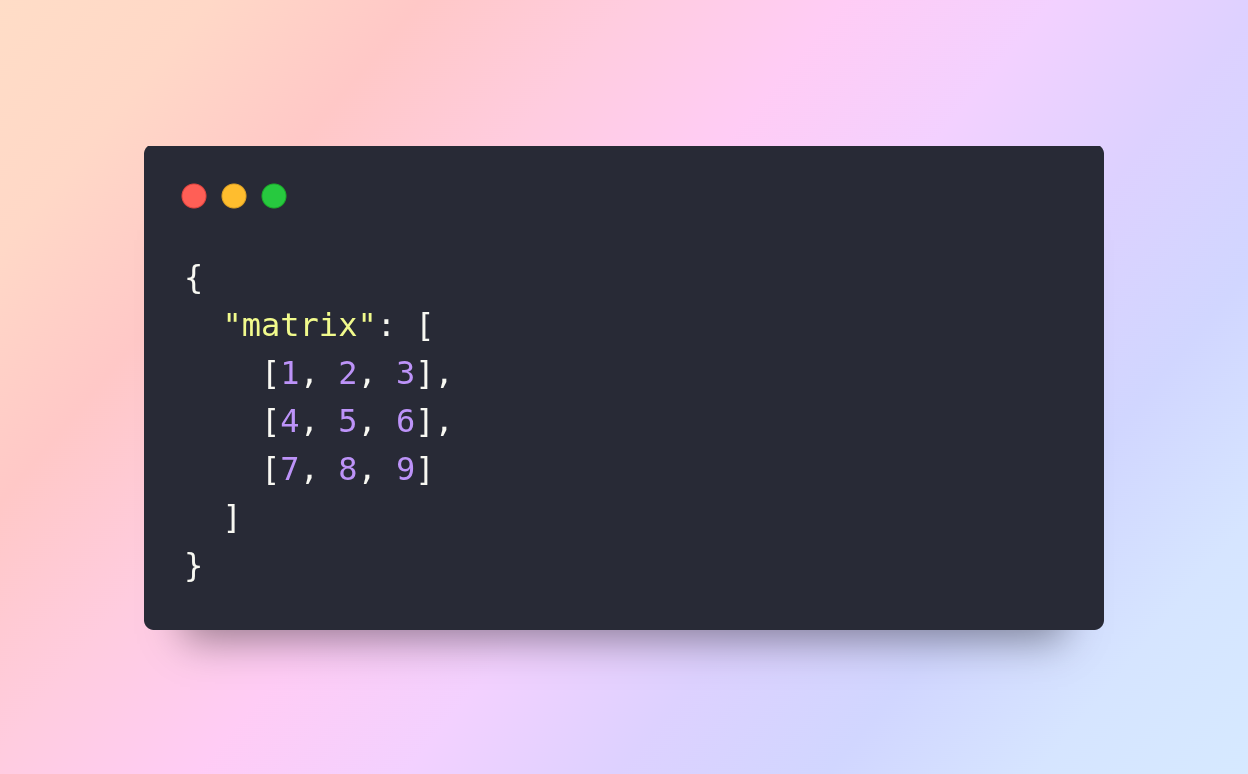
Here, "matrix" contains a two-dimensional array, which can be used to represent grids, tables, or other complex data structures.
3. Data Types in JSON
JSON supports six fundamental data types, which enable it to represent a wide range of information. Understanding these types is crucial for designing accurate and interoperable JSON structures.
1. String
A string is a sequence of characters enclosed in double quotes. Strings are used for text values, names, messages, or dates.
Example:
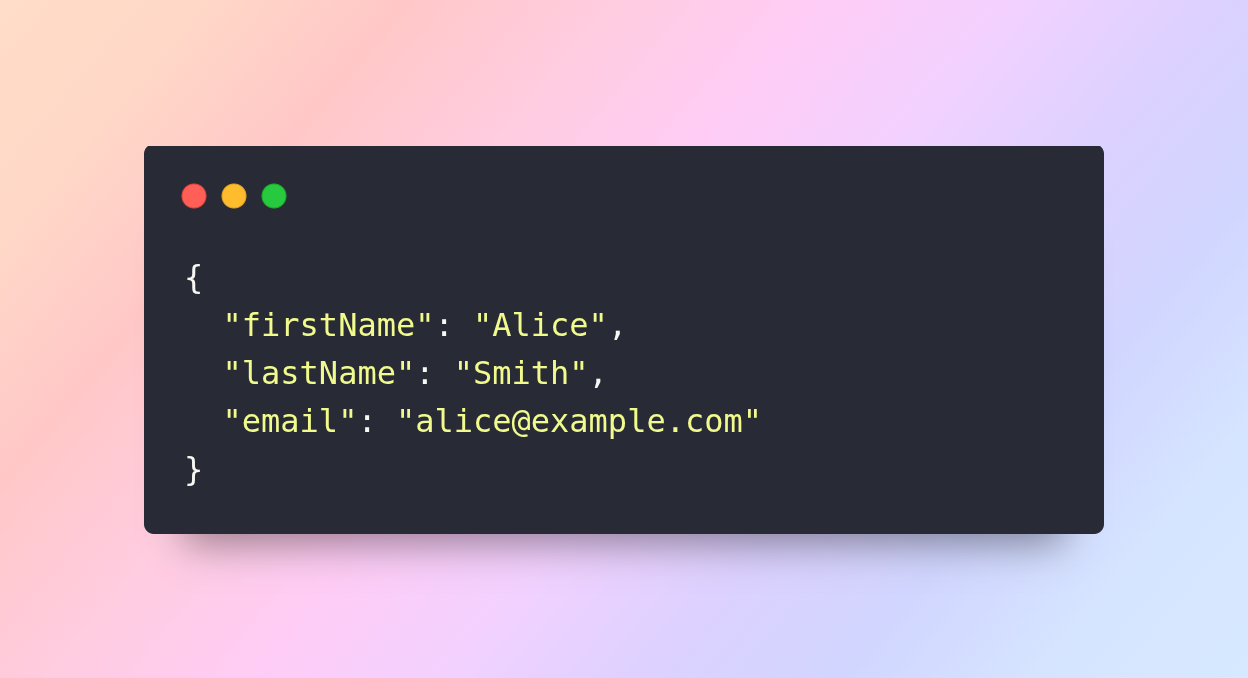
Strings must be enclosed in double quotes; single quotes are not valid in JSON.
2. Number
Numbers in JSON represent integer or floating-point values. JSON does not distinguish between integers and floats.
Example:
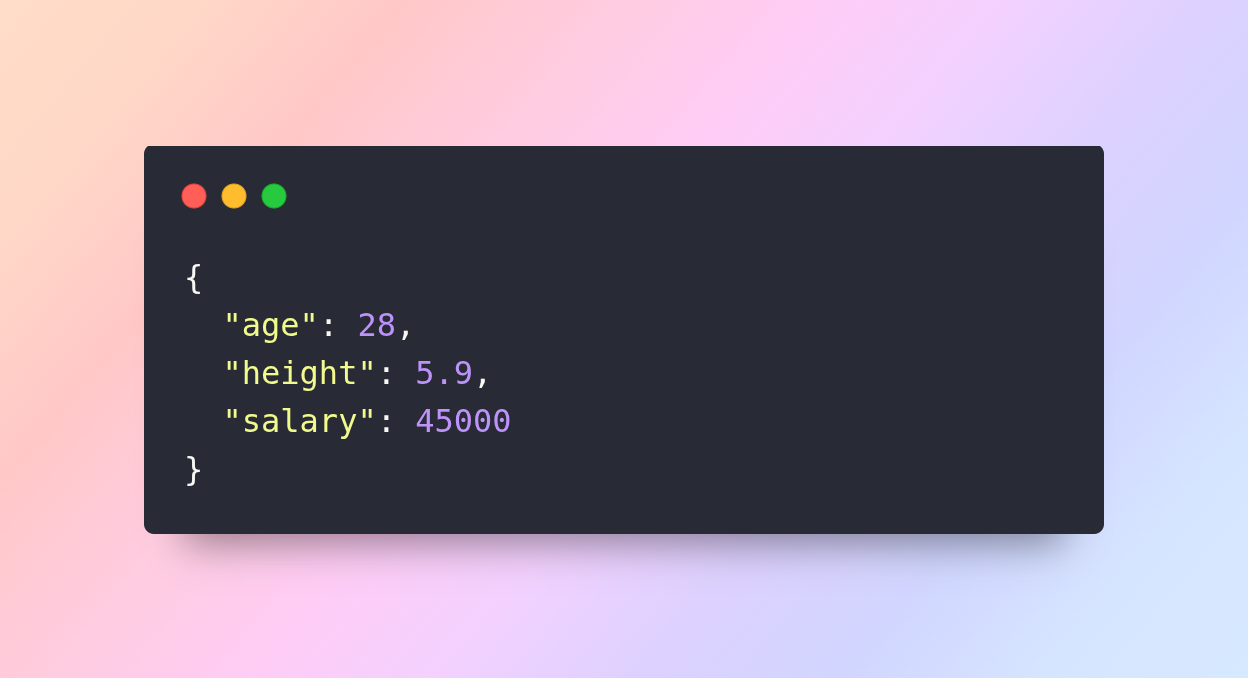
Numbers are written without quotes. Negative numbers, decimals, and exponential notation are all valid.
3. Boolean
Boolean values are either true or false and are used to represent logical states or conditions.
Example:
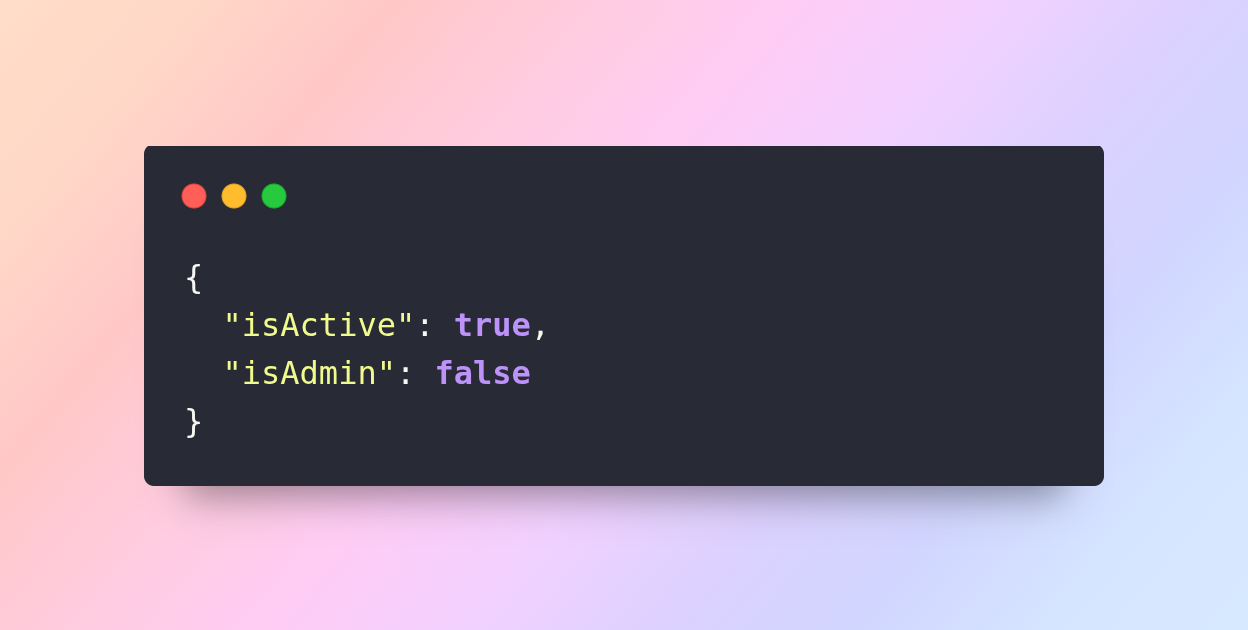
Booleans are useful for flags, settings, or conditional operations in programming.
4. Object
Objects are nested collections of key-value pairs, enclosed in curly braces {}. Objects can contain other objects, arrays, strings, numbers, booleans, or null values.
Example:
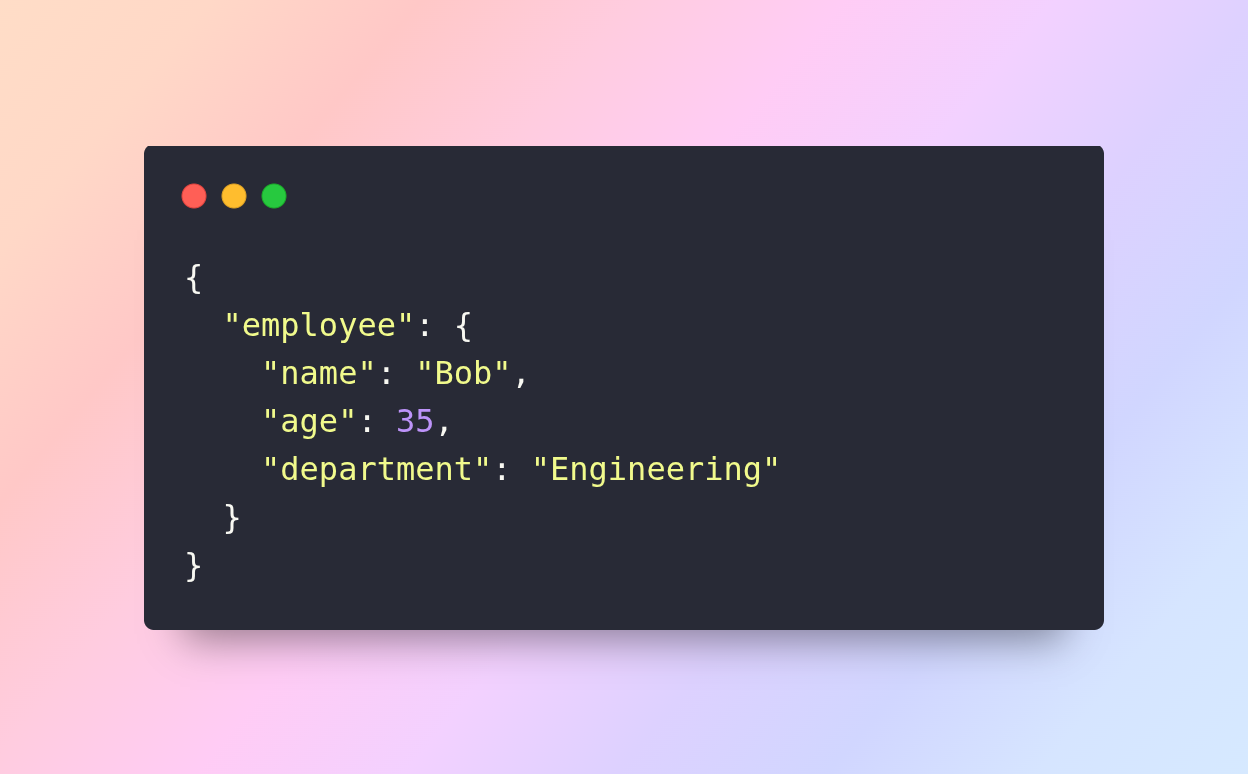
Objects are excellent for representing complex hierarchical data, such as profiles, configurations, or structured responses from APIs.
5. Array
Arrays are ordered lists enclosed in square brackets []. They can contain any valid JSON data type, including other arrays.
Example:
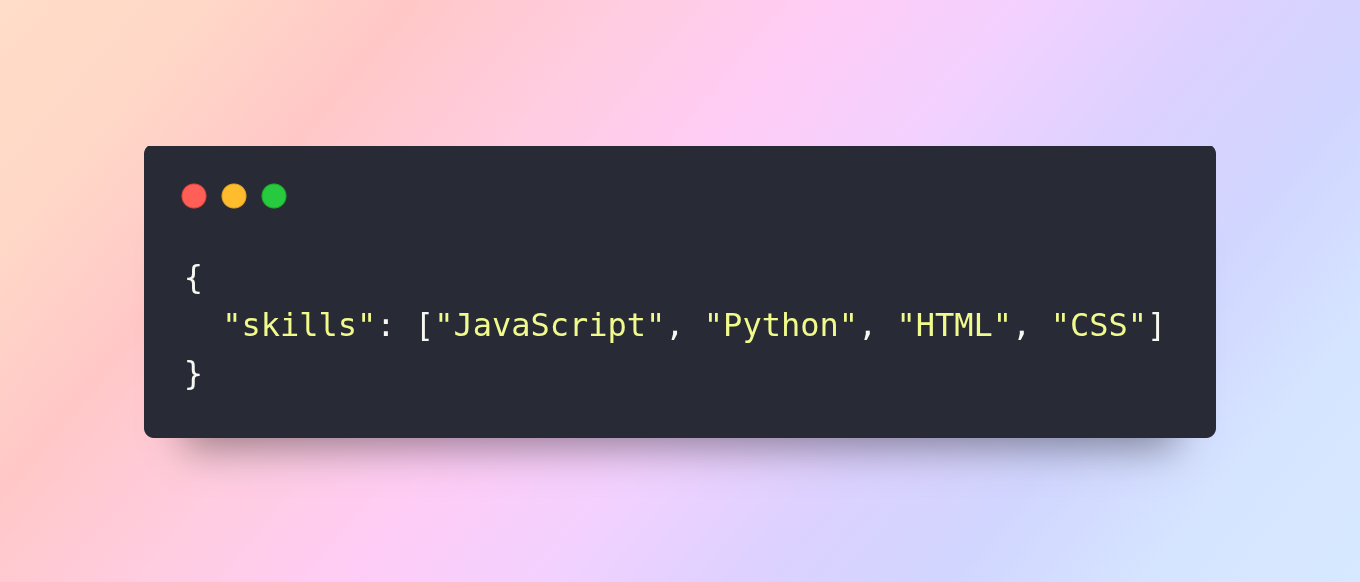
Arrays allow multiple values to be stored under a single key, making it easy to represent collections or sequences.
6. Null
The null value represents empty or missing data. It can be assigned to any key when no value is available.
Example:
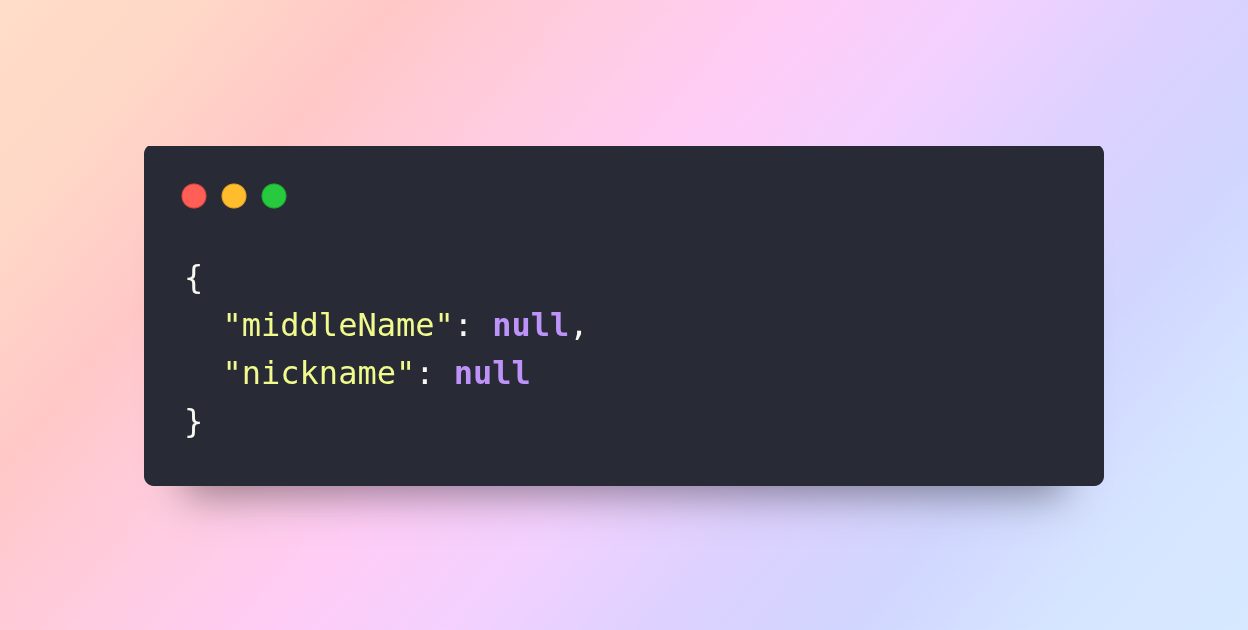
Null is often used to indicate absence of information or optional fields in APIs and data models.
Real-World Uses of JSON
JSON has become an integral part of modern technology and software development. Its simplicity, readability, and flexibility make it the go-to format for exchanging data, configuring systems, and storing structured information. Let’s explore the key real-world applications of JSON in detail:
1. Web APIs
One of the most common uses of JSON is in web APIs. APIs act as a bridge between clients and servers, allowing different software systems to communicate with each other. JSON serves as the preferred data format for this communication because it is lightweight, easy to parse, and compatible with almost all programming languages.
For example, when a web application fetches user data from a server, the response might look like this:
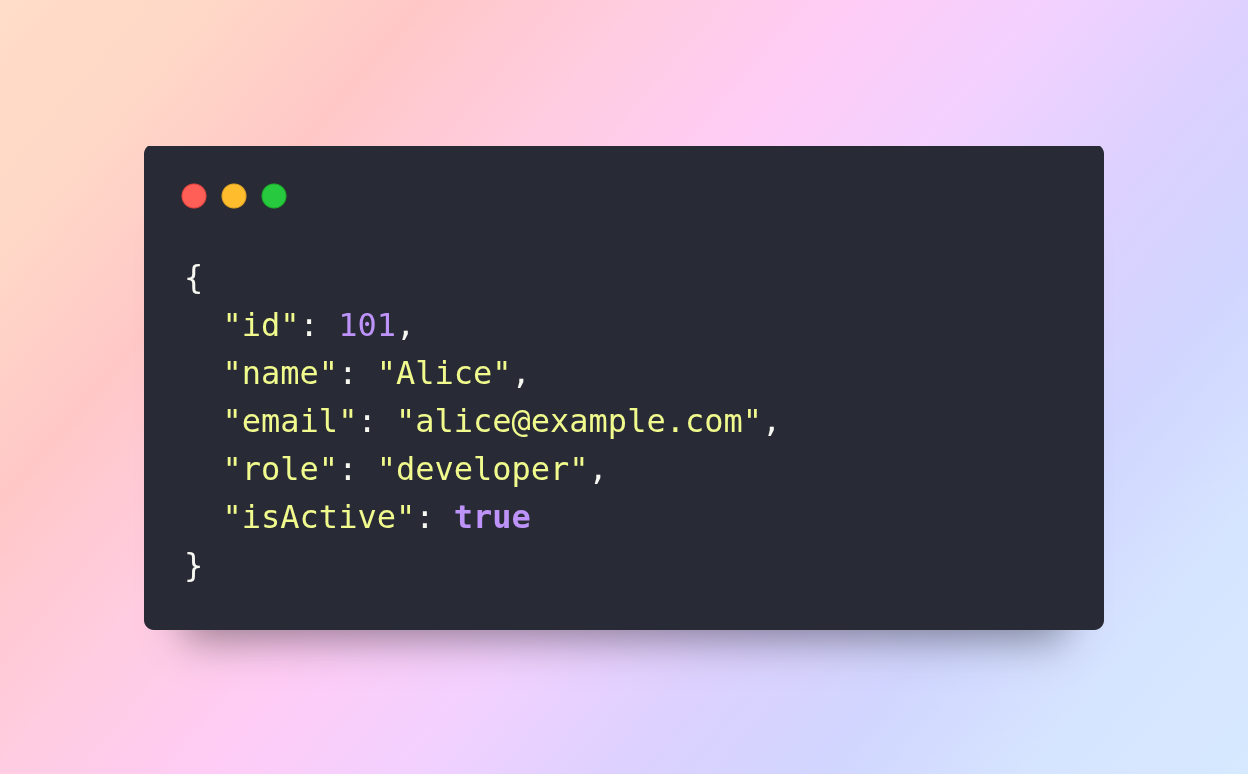
In this scenario, web browsers, mobile applications, or even IoT devices can easily consume the JSON data and use it to render user interfaces, update dashboards, or perform operations such as logging in, displaying profiles, or synchronizing data. JSON’s simplicity ensures that APIs can transmit complex data structures without unnecessary overhead, making it ideal for modern RESTful and GraphQL APIs.
2. Configuration Files
JSON is also widely used for configuration purposes in software development. Many applications, tools, and frameworks rely on JSON files to store settings, dependencies, and preferences. For instance, Node.js projects use package.json to manage project metadata and package dependencies. Similarly, ESLint and other development tools use JSON configuration files (.eslintrc.json) to define rules and behaviors.
Here’s an example snippet from a typical package.json file:
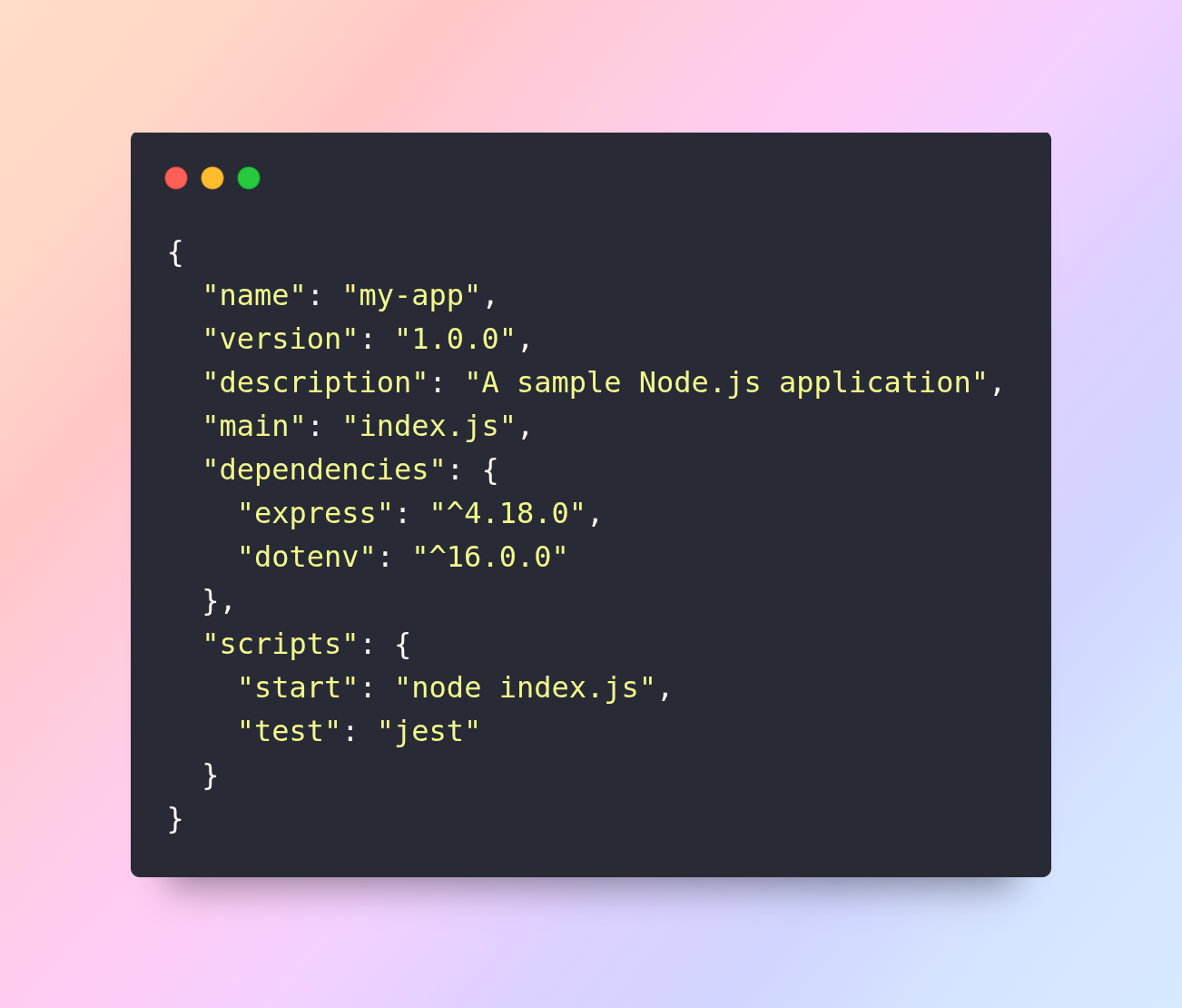
By using JSON for configuration, developers can easily modify settings, add or remove dependencies, or define scripts without touching the application’s core logic. JSON provides a structured and readable way to store configuration data, which reduces errors and improves maintainability across projects.
3. Data Storage
Many modern databases use JSON as a primary or alternative format for storing data. NoSQL databases such as MongoDB, CouchDB, and Firebase use JSON-like documents (BSON in MongoDB) to store data. Unlike traditional relational databases, which rely on tables, rows, and columns, these document-based databases allow developers to store nested structures, arrays, and key-value pairs in a flexible format.
For example, a MongoDB document representing a user could look like this:
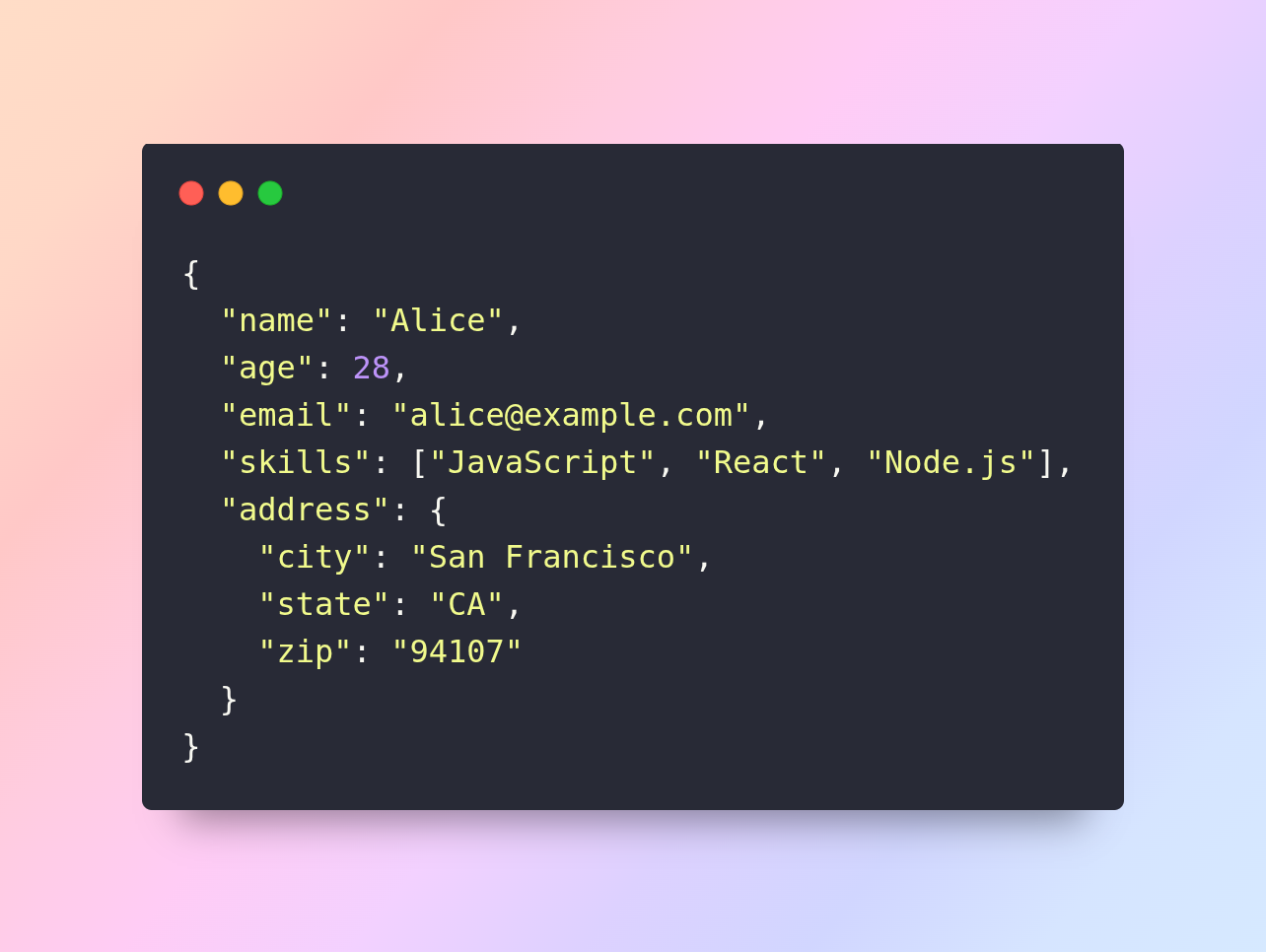
Using JSON for data storage enables dynamic and scalable data models, which can evolve as application requirements change. It also simplifies the interaction between the database and application code, since the JSON structure is compatible with most programming languages.
4. Mobile and Web Applications
JSON plays a critical role in frontend and mobile application development. Frameworks like React, Angular, and Vue rely heavily on JSON to fetch, transmit, and render dynamic data from APIs. Mobile applications built with Flutter, Android, and iOS also use JSON to interact with backend services, ensuring that content, settings, and user-specific data are synchronized in real time.
For instance, an e-commerce application can use JSON to retrieve product listings:
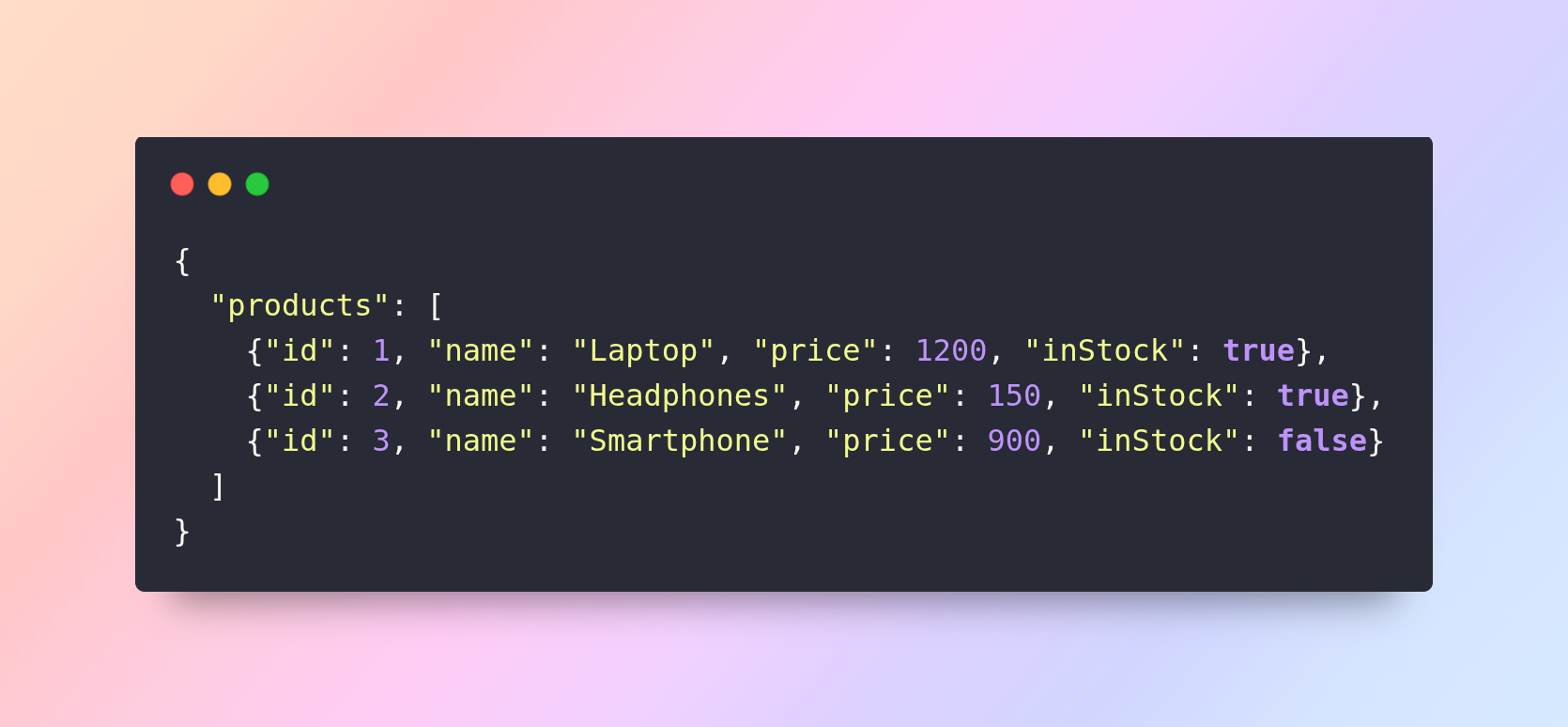
The application can parse this JSON data and dynamically render products, prices, and availability on the user interface. JSON ensures smooth data transfer, reduces load times, and provides a consistent format across platforms.
5. Logging and Analytics
JSON is also widely used for structured logging and analytics. Servers, applications, and monitoring systems often record log data in JSON format because it allows for easier parsing, filtering, and visualization. JSON logs can contain detailed information about user interactions, system events, errors, or performance metrics.
Example of a structured JSON log:
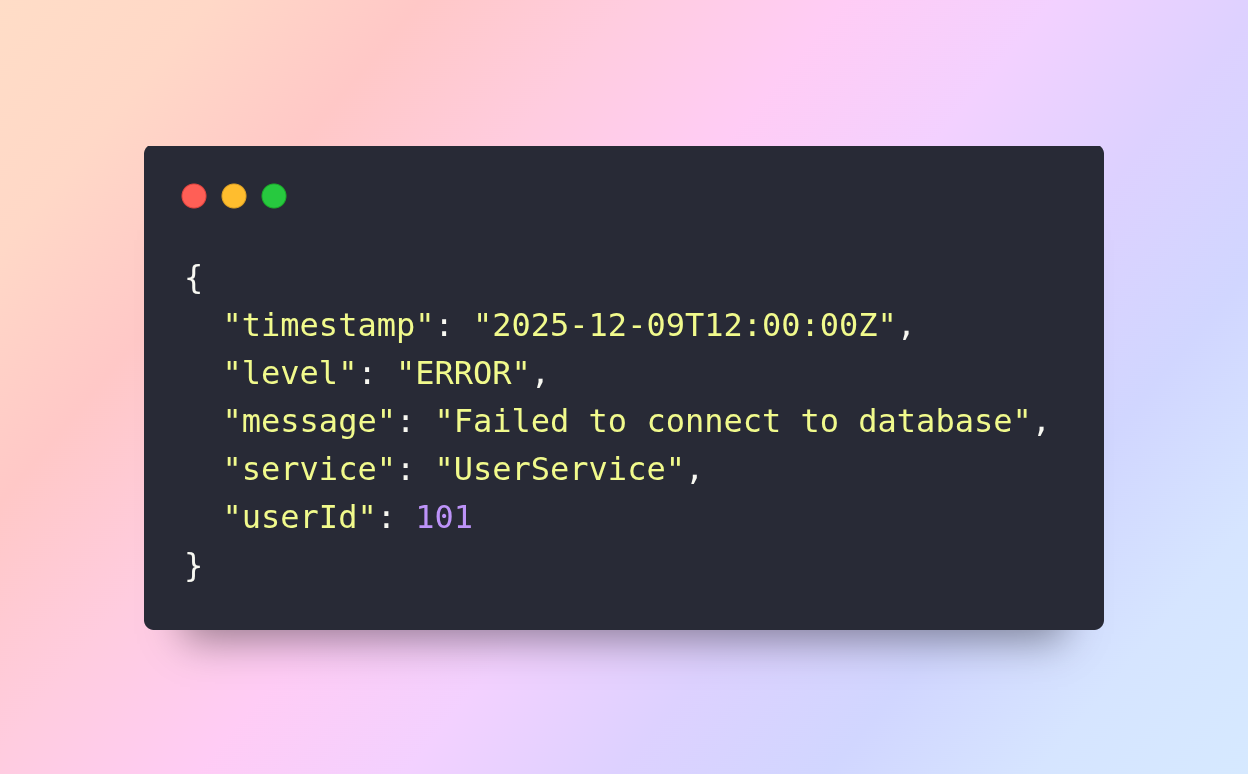
Logging in JSON format enables analytics platforms and monitoring tools to quickly process data, generate reports, identify trends, and detect anomalies. It also simplifies integration with cloud-based logging systems like ELK Stack, Datadog, or Splunk, which rely on structured formats for efficient indexing and search.
6. Interoperability Across Languages
Another significant advantage of JSON is its language independence. JSON can be generated in one programming language and consumed in another without any compatibility issues. This makes it ideal for distributed systems, microservices, and cross-platform applications.
For example, a backend service written in Python can generate JSON data:
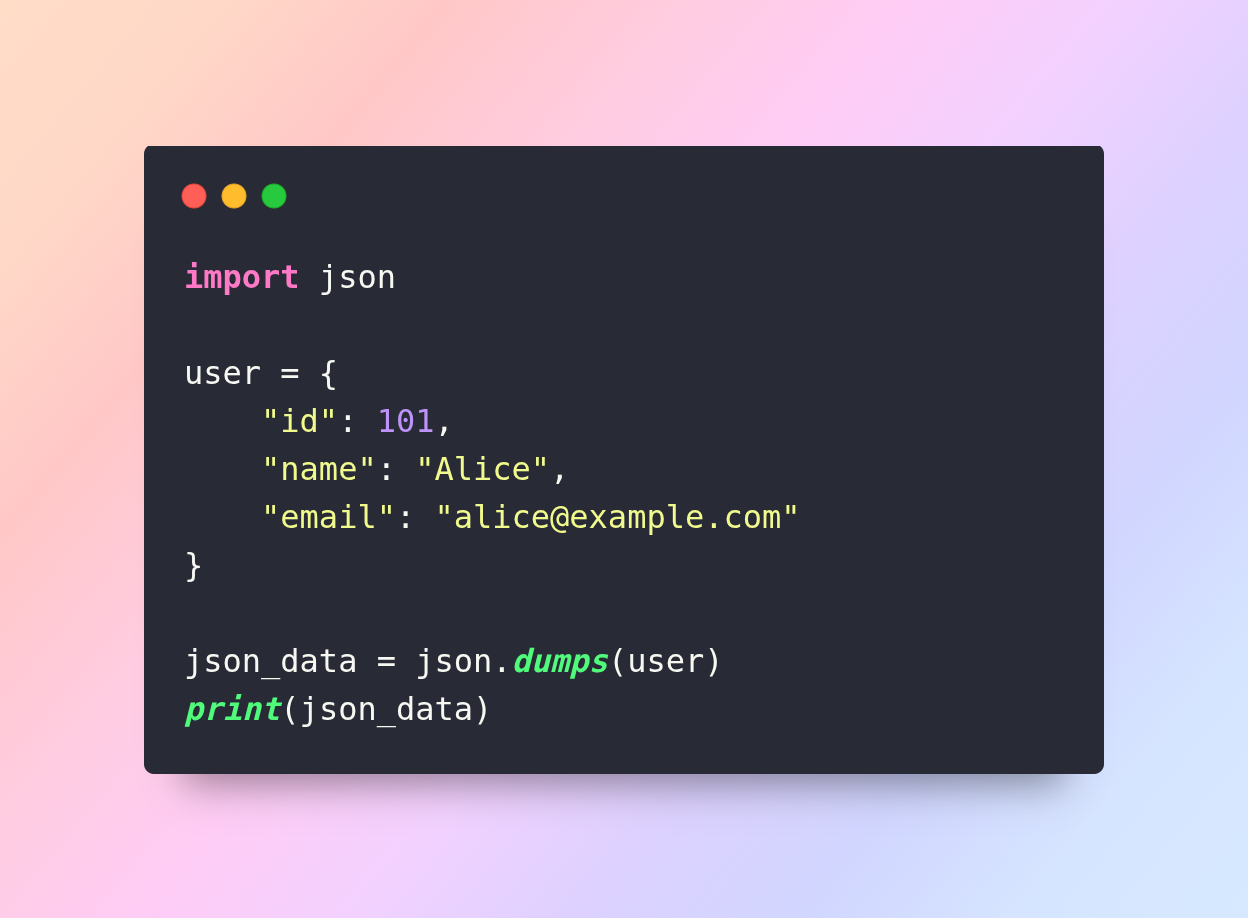
This JSON output can then be consumed by a JavaScript front-end application, a Java microservice, or a Go server, enabling seamless communication between heterogeneous systems. JSON’s interoperability significantly reduces the complexity of integrating multiple platforms, devices, or services in a software ecosystem.
7. Cloud Computing and Serverless Applications
JSON is widely used in cloud computing environments and serverless architectures. Cloud services such as AWS Lambda, Google Cloud Functions, and Azure Functions rely on JSON-formatted events to trigger functions, pass parameters, and return responses. JSON’s lightweight and structured nature make it ideal for event-driven applications, enabling fast and reliable communication between distributed components.
For example, an AWS Lambda function may receive a JSON event payload when a new file is uploaded to an S3 bucket:
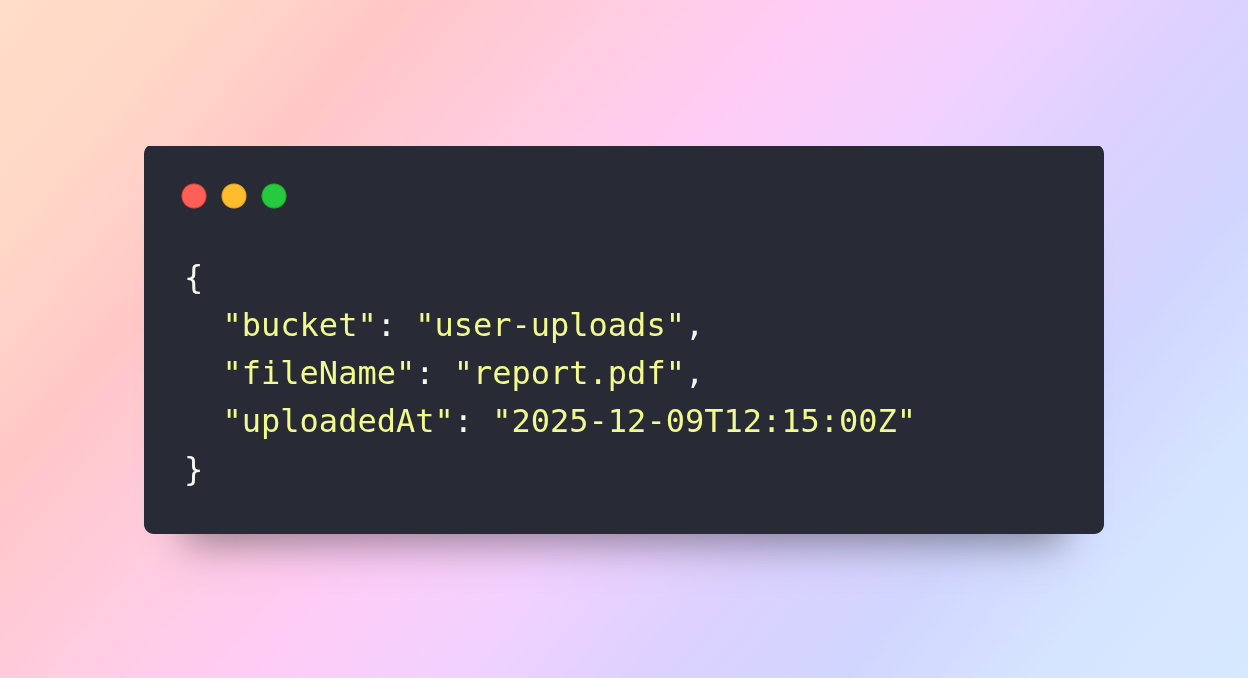
The function can process the payload, execute business logic, and return a JSON response to indicate success or failure. This workflow demonstrates how JSON enables scalable, efficient, and cloud-native application development.
8. Internet of Things (IoT) Devices
JSON is also prevalent in IoT ecosystems, where lightweight and standardized data formats are crucial. IoT devices often communicate with each other or with central servers using JSON messages. For instance, a smart thermostat might send temperature readings as JSON:
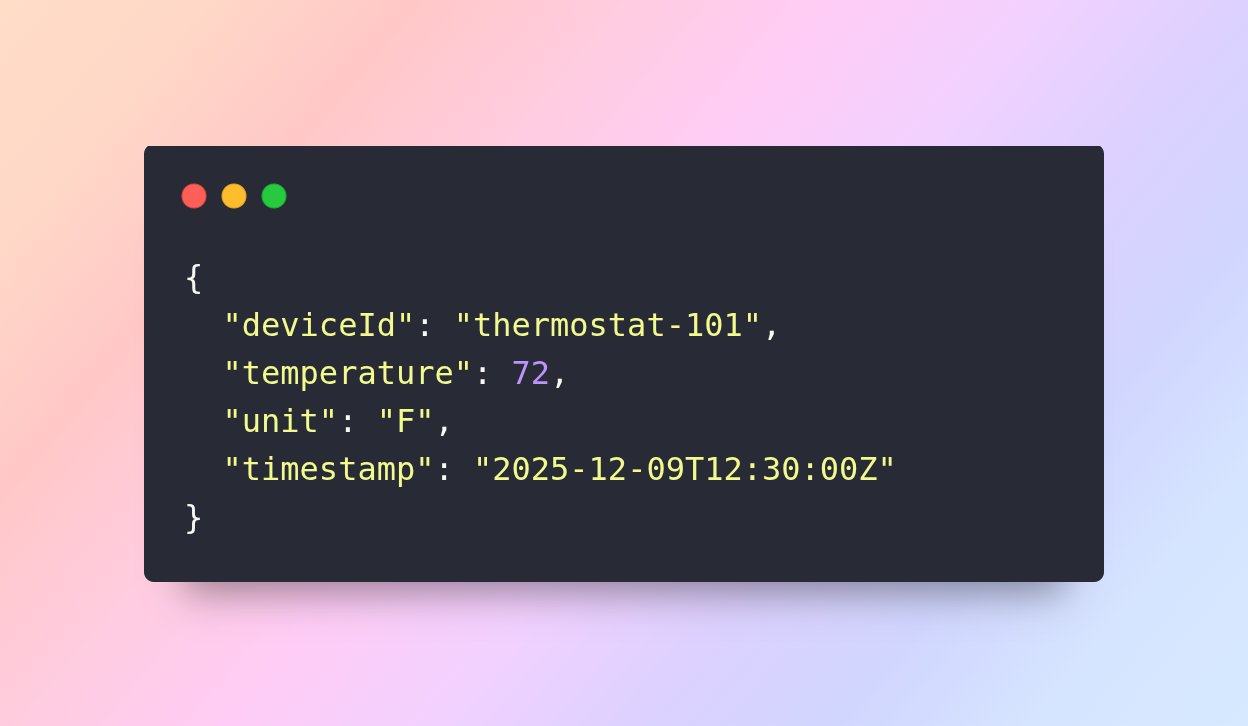
JSON allows IoT platforms to process this data, trigger automated actions, or display real-time information to users. Its simplicity ensures that even devices with limited processing power or bandwidth can efficiently transmit structured data.
Conclusion
JavaScript Object Notation (JSON) is more than just a data format; it is a key enabler of modern software development. Its simplicity, readability, and versatility make it the preferred choice for developers, businesses, and IT systems worldwide. From APIs and configuration files to data storage and real-time applications, JSON plays a central role in building scalable, interoperable, and efficient systems.
Understanding JSON’s structure, syntax, and real-world applications equips developers to create robust applications, integrate systems seamlessly, and leverage modern technologies effectively. Whether you are a front-end developer, back-end engineer, or data professional, mastering JSON is essential for success in today’s digital ecosystem.