
.jpg "Discuss about Open Source Simulation Software")
Elon Musk once said in an interview that we're probably all living inside a computer simulation. Whether or not you buy that idea philosophically, the underlying concept building a working model of reality to study it before committing to it is exactly what simulation software does for businesses, researchers, and engineers every single day.
At its core, simulation is the digital recreation of a real-world system, process, or event so you can study its behavior without the cost or risk of doing it for real. An architecture firm can model a building in 2D and 3D before a single brick is laid, giving a precise read on construction cost, manpower needs, and structural risk. A hospital can rehearse a surgical procedure virtually before a surgeon ever picks up a scalpel on a real patient. A network engineer can stress-test a data center's topology without touching a single physical router.
That's the appeal of simulation software in one sentence: it lets you find out what will go wrong before it actually goes wrong. This guide walks through the different types of simulation modeling software, how they actually work, and then narrows in on the eight best free and open source simulation software tools available today the kind of simulation tools that let you get started without an upfront license fee. We'll also cover what to look for when selecting a simulation platform, and where a dedicated simulation software development company fits in if your needs outgrow what these open source tools offer out of the box.
The global simulation software market is projected to grow from $26.5 billion in 2025 to $30.1 billion in 2026, and is expected to reach $70.7 billion by 2033 at a compound annual growth rate of 13.0%, according to Grand View Research. North America currently holds the largest share of that market at 36.4% of global revenue, while software itself as opposed to services accounts for 68.1% of total spend. That kind of sustained double-digit growth is exactly why more businesses are evaluating free and open source simulation software as an entry point before committing to a paid platform.
Types of Simulation Software
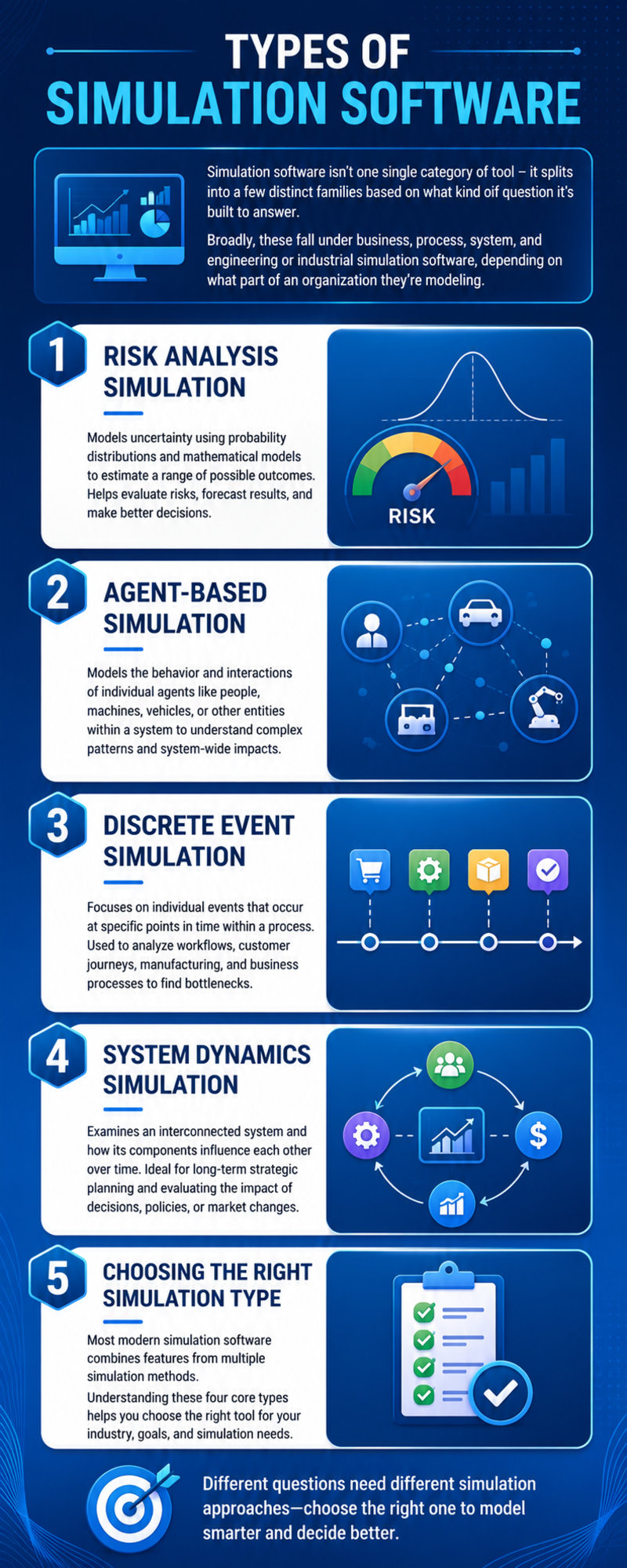
Simulation software isn't one single category of tool it splits into a few distinct families based on what kind of question it's built to answer. Broadly, these fall under business simulation software, process simulation software, system simulation software, and engineering or industrial simulation software, depending on what part of an organization they're modeling.
Risk Analysis Simulation
Risk analysis simulation models the uncertainty surrounding a new project, process change, or investment decision. It uses probability distributions and mathematical models to estimate a range of possible outcomes before resources are committed. This approach helps organizations evaluate potential risks, forecast results, and make more informed decisions.
Agent-Based Simulation
Agent-based simulation models the behavior and interactions of individual agents, such as people, machines, vehicles, or other independent entities, within a system. It is useful for understanding how changes to one part of a system can influence overall performance and identifying complex interaction patterns.
Discrete Event Simulation
Discrete event simulation focuses on individual events that occur at specific points in time within a process. It is commonly used to analyze workflows, customer journeys, manufacturing operations, and business processes by identifying cause-and-effect relationships and uncovering operational bottlenecks.
System Dynamics Simulation
System dynamics simulation examines an entire interconnected system and how its components influence one another over time. It is particularly valuable for long-term strategic planning, allowing organizations to evaluate the impact of decisions, policy changes, or market conditions on overall business performance.
Choosing the Right Simulation Type
Most modern simulation software combines features from multiple simulation methods rather than relying on a single approach. Understanding these four core simulation types makes it easier to choose the right tool based on your specific industry, objectives, and simulation requirements.
Uses of Simulation Software
Simulation software has moved well beyond its early roots in manufacturing design and is now embedded across nearly every industry that deals with complex, costly, or risky decisions. Whether it's virtual simulation software for training or digital simulation software for engineering design, the use cases span nearly every sector:
- Manufacturing and industrial engineering: simulation software for manufacturing tests production line layouts and throughput before committing capital to physical changes.
- Healthcare and medical training: rehearsing surgical procedures, modeling human biomechanics, and studying treatment outcomes without patient risk.
- Defense and military strategy: war-gaming tactics, logistics, and equipment performance in a virtual environment.
- Business, finance, and operations: forecasting the financial risk and operational impact of a new strategy before rolling it out.
- Education and workforce training: letting students and new hires practice complex or dangerous skills in a safe, repeatable environment.
- Aerospace, automotive, and network engineering: prototyping vehicles, testing network topologies, and validating designs long before physical production.
The common thread across every one of these sectors is the same: simulation software replaces expensive, risky real-world trial and error with fast, cheap, repeatable virtual testing.
How Does a Simulation Software Work?
While the exact workflow varies by industry and tool, most simulation software follows a broadly consistent process from start to finish:
- Define the objective. Decide exactly what question the simulation needs to answer a new product launch's financial risk, a network's ability to handle peak traffic, or a surgical technique's outcomes.
- Build the model. Translate the real-world system into a digital model, defining the components, variables, and rules that govern how it behaves.
- Input real data. Feed the model real-world data historical performance, physical measurements, or observed behavior so the simulation reflects reality rather than pure theory.
- Run the simulation. Execute the model, often across many iterations or scenarios, to see how it behaves under different conditions.
- Analyze the results. Review the output for patterns, risks, and opportunities the raw data alone wouldn't have revealed.
- Refine and iterate. Adjust the model based on what you learned and re-run it simulation is rarely a one-and-done process.
This loop is exactly why simulation software tends to pay for itself quickly: instead of testing an idea once in the real world at full cost, you can test it dozens of times virtually at a fraction of the price.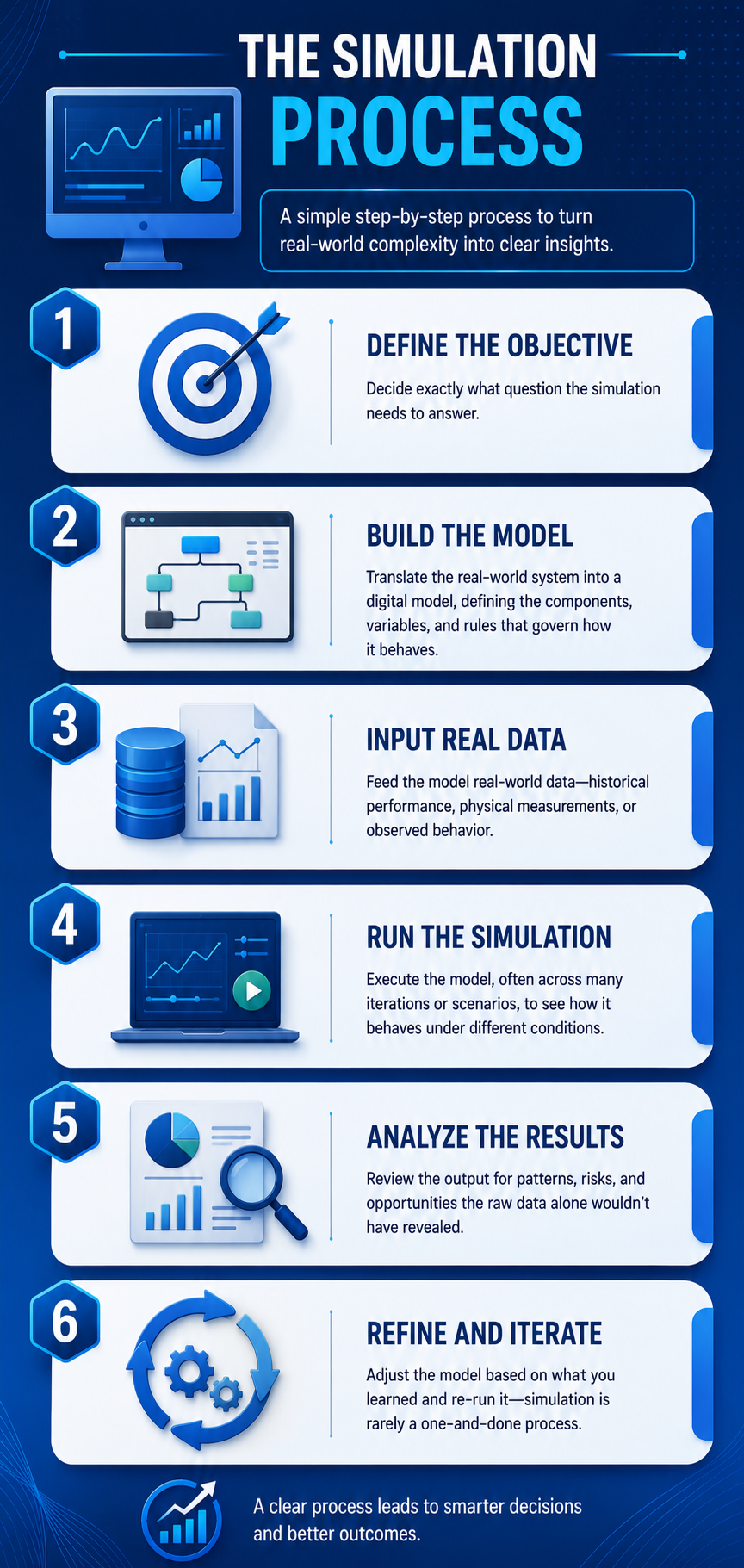
Benefits of Using Simulation Software
By now the concept should be clear so what does simulation software actually deliver for the businesses and researchers that adopt it?
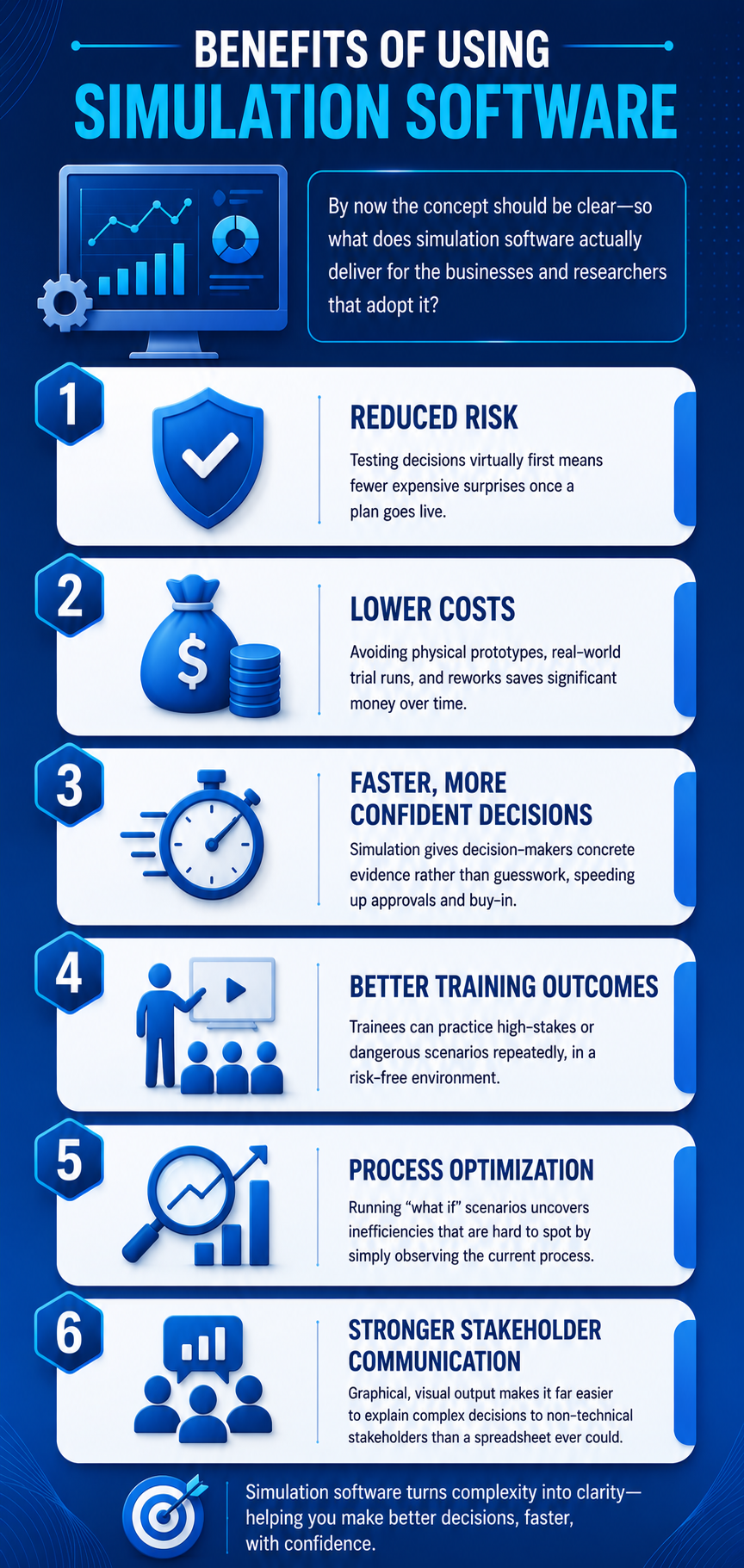
- Reduced risk. Testing decisions virtually first means fewer expensive surprises once a plan goes live.
- Lower costs. Avoiding physical prototypes, real-world trial runs, and reworks saves significant money over time.
- Faster, more confident decisions. Simulation gives decision-makers concrete evidence rather than guesswork, speeding up approvals and buy-in.
- Better training outcomes. Trainees can practice high-stakes or dangerous scenarios repeatedly, in a risk-free environment.
- Process optimization. Running "what if" scenarios uncovers inefficiencies that are hard to spot by simply observing the current process.
- Stronger stakeholder communication. Graphical, visual output makes it far easier to explain complex decisions to non-technical stakeholders than a spreadsheet ever could.
Factors to Look for While Selecting a Simulation Software
With so many free and open source simulation tools available, a few practical criteria will help you separate the best simulation software for your needs from the wrong fit for your specific project.
Ease of Learning and Use
The tool should be approachable enough that your team can build quick, presentable models without a lengthy ramp-up period, so decisions don't get delayed waiting on tool mastery.
Input Flexibility
Look for software that lets you import data from spreadsheets, databases, or other file formats, and that supports intuitive drag-and-drop model building rather than requiring everything to be hand-coded.
Speed of Results
A tool that returns results quickly makes it easier to iterate, manage risk in real time, and justify recommendations to stakeholders without long delays between test runs.
Graphical Output
Strong visual and graphical presentation turns a simulation into an effective communication tool something that engages stakeholders instead of losing them in raw numbers.
Integration Capability
The best simulation software integrates cleanly with your existing data sources and business tools, rather than forcing you to work in an isolated silo.
Reporting and Analytics
Look for built-in reporting that can answer "what if" questions directly what happens to output if a machine goes down, or to revenue if a product line is discontinued without manual number-crunching after every run.
The Top 8 Free and Open Source Simulation Software
With those selection criteria in mind, here's a rundown of eight established, genuinely free and open source simulation tools worth evaluating for your next project.
1) OpenModelica
OpenModelica is an open source, model-based simulation environment built primarily for research, teaching, and industrial applications. It's maintained by the Open Source Modelica Consortium (OSMC), a non-profit backing its long-term development, and welcomes contributions from researchers, students, and independent developers who want to extend its functionality.
Key features:
- A compiler that can be driven programmatically through an API
- Tools for creating and modifying simulation models directly
- An interactive command-line session handler for quick scripting and editing
- A lightweight notebook-style editor for hierarchical text documents
- Python-based scripting support for the Modelica language
OpenModelica is particularly well suited to engineering teams and academic researchers who need a serious modeling environment without a commercial license fee.
2) OpenSimulator
OpenSimulator is an open source, multi-user, multi-platform 3D application server used to build virtual environments accessible through a variety of clients and protocols. Built in C#, it runs on both Windows (via the .NET Framework) and Unix-like systems (via Mono).
Key features:
- Support for multi-user, real-time 3D environments
- The ability to run anywhere from a single simulator to thousands simultaneously
- Support for variable-sized 3D virtual spaces
- Real-time support for multiple clients creating 3D content together
- In-world scripting via LSL/OSSL
- Extensible scene plugin modules for custom virtual-world behavior
This makes OpenSimulator a strong pick for teams building virtual training environments, social platforms, or research into shared 3D spaces.
3) Logisim
Logisim is a free tool widely used in classrooms for designing and simulating digital logic circuits. It's approachable enough for students learning the fundamentals, yet capable enough to simulate entire educational CPU designs, including the ability to nest smaller circuits inside larger ones.
Key features:
- Runs on any system supporting Java 5 or later, with dedicated builds for macOS and Windows
- An intuitive, toolbar-driven drawing interface
- Color-coded wires that make debugging a circuit far easier to follow
- The ability to save circuits, export to GIF, or print directly
- Hierarchical circuit design, using saved layouts as subcircuits elsewhere
- A "combinational analysis" module for converting between circuits, truth tables, and Boolean expressions
- A full library of standard components gates, flip-flops, multiplexers, arithmetic circuits, and RAM
- A wiring tool that auto-connects components with clean horizontal and vertical wires
For anyone teaching or learning digital logic design, Logisim remains one of the most approachable free options available.
4) OpenSurgSim
OpenSurgSim is an open source framework purpose-built for real-time surgical simulation. It bundles together the core building blocks a surgical simulator needs device support, physics simulation, haptic feedback, collision detection, and graphics while remaining flexible enough for developers to swap out individual components like the physics engine or solvers.
Key features:
- High-fidelity tissue interaction modeling
- Realistic haptic feedback for tool manipulation
- Support for actual surgical tool usage patterns
- Realistic graphics rendering
- Built-in tracking and comprehensive performance metrics
- Support for both minimally invasive and open surgical scenarios
- One-, two-, and three-dimensional object modeling
- Finite element method (FEM) and mass-spring physical systems
OpenSurgSim is a natural fit for medical schools, simulation labs, and med-tech developers building surgical training tools without starting from scratch.
5) OpenSim
Not to be confused with OpenSimulator above, OpenSim is a free, open source platform focused specifically on biomechanical modeling, simulation, and analysis. It's used extensively in biomechanics and motor control research, covering studies like walking dynamics, sports performance, surgical outcome prediction, joint loading, medical device design, and movement animation for both humans and animals.
Key features:
- Automatic updates for GUI improvements and bug fixes
- Scripting support through MATLAB, Python, and the GUI itself
- A full library of OpenSim modeling and simulation tools
- Batch scripting support to streamline repetitive research workflows
- Corrected moment arm calculations for models with moving muscle or path points
- Exposed step-interval controls for static optimization within the GUI
With an active global community of biomechanics researchers contributing to it, OpenSim has become a go-to platform in movement science labs worldwide.
6) GNS3
GNS3, short for Graphical Network Simulator 3, is one of the most widely used free tools for network engineers to emulate, configure, test, and troubleshoot both virtual and real network topologies. It scales from a handful of devices running on a laptop up to large topologies distributed across the cloud or multiple servers, and its community includes hundreds of thousands of students, architects, and engineers including staff at globally recognized Fortune 500 companies.
Key features:
- A modernized, updated graphical interface
- A split architecture with a separate GNS3 GUI and GNS3 server
- VirtualBox linked-clone support for more efficient disk usage
- Improved support for QEMU virtual machines
- The ability to configure simulated PCs directly inside the GUI
- Config file import/export from within a contextual device menu
- Automatic IOS config export when a project closes
For anyone studying for networking certifications or managing enterprise network design, GNS3 is close to an industry standard among free tools.
7) IMUNES
IMUNES was built by researchers and educators at the University of Zagreb as a free, open source network emulation and simulation framework. Running on FreeBSD and Linux kernels, it partitions the system into multiple lightweight virtual nodes that can be interconnected at the kernel level to build arbitrarily complex network topologies.
Key features:
- Real-time IP network topology emulation at gigabit speeds
- Support for hundreds to thousands of virtual nodes on a single physical machine, each capable of running unmodified UNIX applications
- A scalable architecture designed for real-time, large-scale experiments
- A versatile GUI with a management plane and automated node/link creation
- Lightweight, portable experiments that can be instantiated quickly
IMUNES is particularly well suited to academic network research teams that need large-scale, high-speed topology testing without expensive dedicated hardware.
8) ns-3
ns-3 is one of the most established free simulation tools for networking research and education. Licensed under GNU GPLv2, it's publicly available for research, development, and general use, with a core mission of providing an open simulation environment for the networking research community, built around peer review and community validation.
Key features:
- Detailed models of how packet data networks perform under different conditions
- Support for a wide range of simulation experiments to study network behavior
- A library ecosystem that combines with external software tools
- Compatibility with external animators, visualization tools, and data analysis software
- Native support for Linux and macOS, with additional support for BSD and Windows frameworks
- An active NS-3 user forum for community troubleshooting
For academic networking research specifically, ns-3 remains one of the most cited and widely adopted free simulation tools in the field.
The Top 8 Free and Open Source Simulation Software Comparison Chart
|
Software |
Primary Use Case |
Platform |
Best For |
|
OpenModelica |
Model-based system simulation |
Windows, Linux, macOS |
Research, teaching, industrial modeling |
|
OpenSimulator |
3D virtual environments |
Windows, Unix (via Mono) |
Virtual worlds, shared 3D research |
|
Logisim |
Digital logic circuit simulation |
Any Java 5+ system |
Students, educators, circuit design |
|
OpenSurgSim |
Surgical simulation |
Cross-platform framework |
Medical training, surgical simulator development |
|
OpenSim |
Biomechanical modeling |
Windows, Linux, macOS |
Biomechanics and motor control research |
|
GNS3 |
Network emulation |
Windows, Linux, macOS |
Network engineers, certification study |
|
IMUNES |
Network topology emulation |
FreeBSD, Linux |
Academic large-scale network research |
|
ns-3 |
Networking research simulation |
Linux, macOS, BSD, Windows |
Networking research and education |
Each of these tools solves a fairly specific problem well. If your use case doesn't fit neatly into any of these eight, it's worth browsing the complete simulation software directory for freemium and paid alternatives like Matlab, Simio, AnyLogic, and Arena, or looking into Simul8 as a more full-featured commercial option once your needs outgrow a free tool.
When Free and Open Source Tools Aren't Enough
Every tool on this list is genuinely useful, but open source simulation software comes with real trade-offs: limited official support, a learning curve that falls entirely on your internal team, and feature sets that are often narrowly scoped to one type of simulation rather than your exact business process.
This is where working with a simulation software development company can make sense. A team that specializes in custom simulation software development can take an open source foundation like OpenModelica or ns-3 and extend it or build a custom simulation application from scratch tailored specifically to your industry, your data, and your existing systems.
Typical simulation software development services include:
- Custom simulation software development built around your specific process, whether that's a manufacturing line, a logistics network, or a financial risk model.
- Integration work connecting a simulation engine to your existing ERP, CRM, or data warehouse.
- Ongoing simulation software solutions ongoing tuning, feature additions, and support as your business processes evolve.
- UI and reporting layers built on top of an open source simulation core, so non-technical stakeholders can actually use the tool day to day.
If you're evaluating vendors, look at the same criteria that apply to picking software in the first place: relevant industry experience, a track record with the specific simulation type you need (risk analysis, agent-based, discrete event, or system dynamics), and clear communication about scope and timeline. Comparing a few top simulation software companies side by side, rather than committing to the first quote you receive, tends to produce far better outcomes the same way it does with any other custom software engagement. If your team is based in or near the city, it's also worth browsing a directory of top software development companies in New York to find with relevant simulation experience close to home.
Whether you decide to hire simulation software developers as an in-house extension of your team or to bring in a simulation app development company for a fixed-scope project, the underlying logic stays the same as with the free tools above: pick the option that matches the complexity of the problem you're actually trying to solve, not the most feature-rich option available.
The Final word
Simulation software has moved a long way from its early days as a niche manufacturing design tool. Across healthcare, defense, finance, education, and network engineering, organizations are increasingly using virtual models to make high-stakes decisions with real data instead of guesswork.
The eight free and open source tools covered here OpenModelica, OpenSimulator, Logisim, OpenSurgSim, OpenSim, GNS3, IMUNES, and ns-3 each solve a distinct problem well, from digital logic teaching to large-scale network research to biomechanics analysis. For many individuals, students, and research teams, one of these free options will be more than sufficient.
But as your simulation needs grow more specific to your business and as the stakes of getting a decision wrong grow higher it's worth knowing that a simulation software development company can pick up where these open source tools leave off, building custom simulation software development solutions tailored to exactly what your organization needs. The best path forward is the one that matches the complexity of your actual problem: start with a free, open source tool where it fits, and bring in dedicated simulation software development services once your requirements outgrow what's freely available.
Have you tried any of the simulation tools mentioned above? Share your experience and feedback with us.
.jpg)